Built for ADHD brains

Your brain isn't broken.
Your tools are.

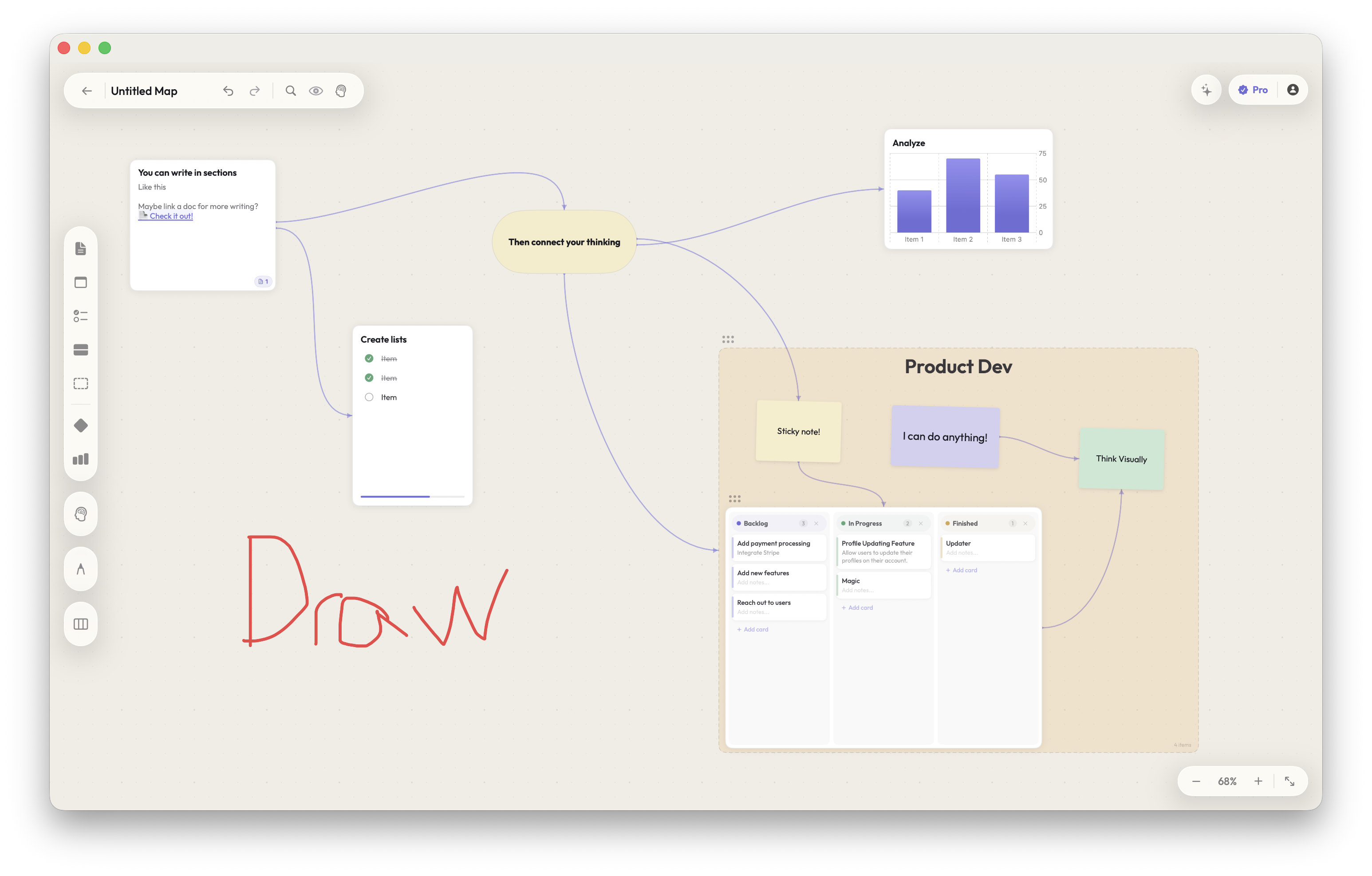
Noda is a visual thinking tool for ADHD and visual thinkers. Dump your brain onto a canvas. See the shape of your thinking. Turn scattered thoughts into clear next steps.

macOS 14+ · Free · No account required

My thoughts — Noda

Dump. See. Do.

From scattered to sorted in three steps.

01

Dump your brain

Get it all out

Open the brain dump. Talk or type — don't organize, don't filter. Just get everything out of your head before it disappears.

02

See it clearly

Watch the shape emerge

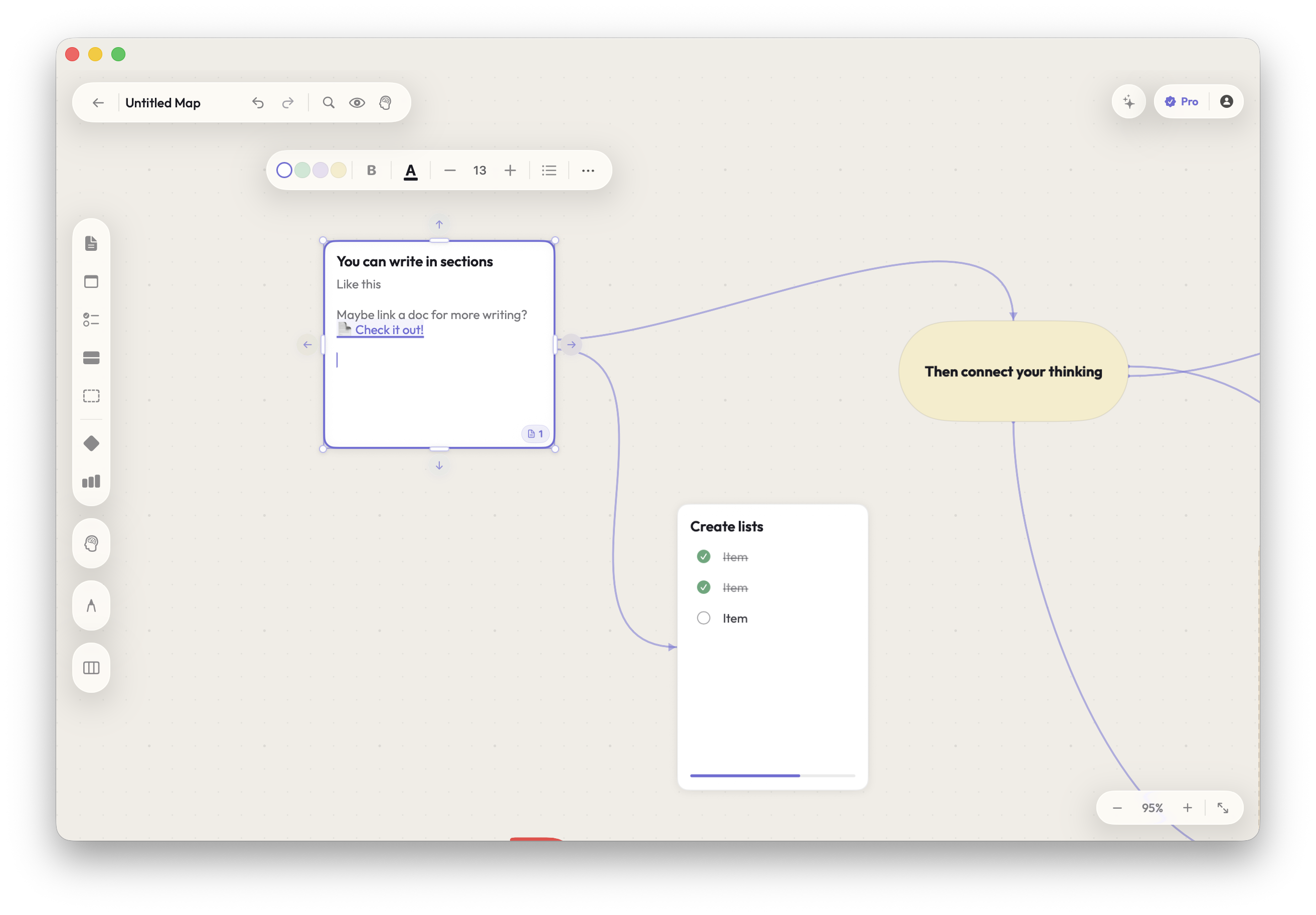
On-device AI groups your thoughts into themes. Cards appear on an infinite canvas. Drag them around. Connect them. See the shape of your thinking.

03

Get it done

Think and act on one surface

Turn any card into a checklist. Morph a sticky note into a kanban column. Your canvas becomes your action plan — no manual sorting required.

Built different

Every detail designed for your brain

For ADHD adults, visual planners, spatial thinkers, designers, founders — anyone who thinks better on a whiteboard than in a document.

01

Brain Dump + AI

Say everything in your head. Press one button. Your thoughts appear organized on a canvas. On-device AI — nothing leaves your Mac.

Talk, type, or paste. The AI finds the structure hiding in your chaos.
See it in action →
Brain Dump + AI
02

Focus Mode

Too much on screen? Select one thing. Press Tab. Everything else fades. Walk connected nodes with arrow keys. Noise-cancelling for your eyes.

03

Infinite Canvas

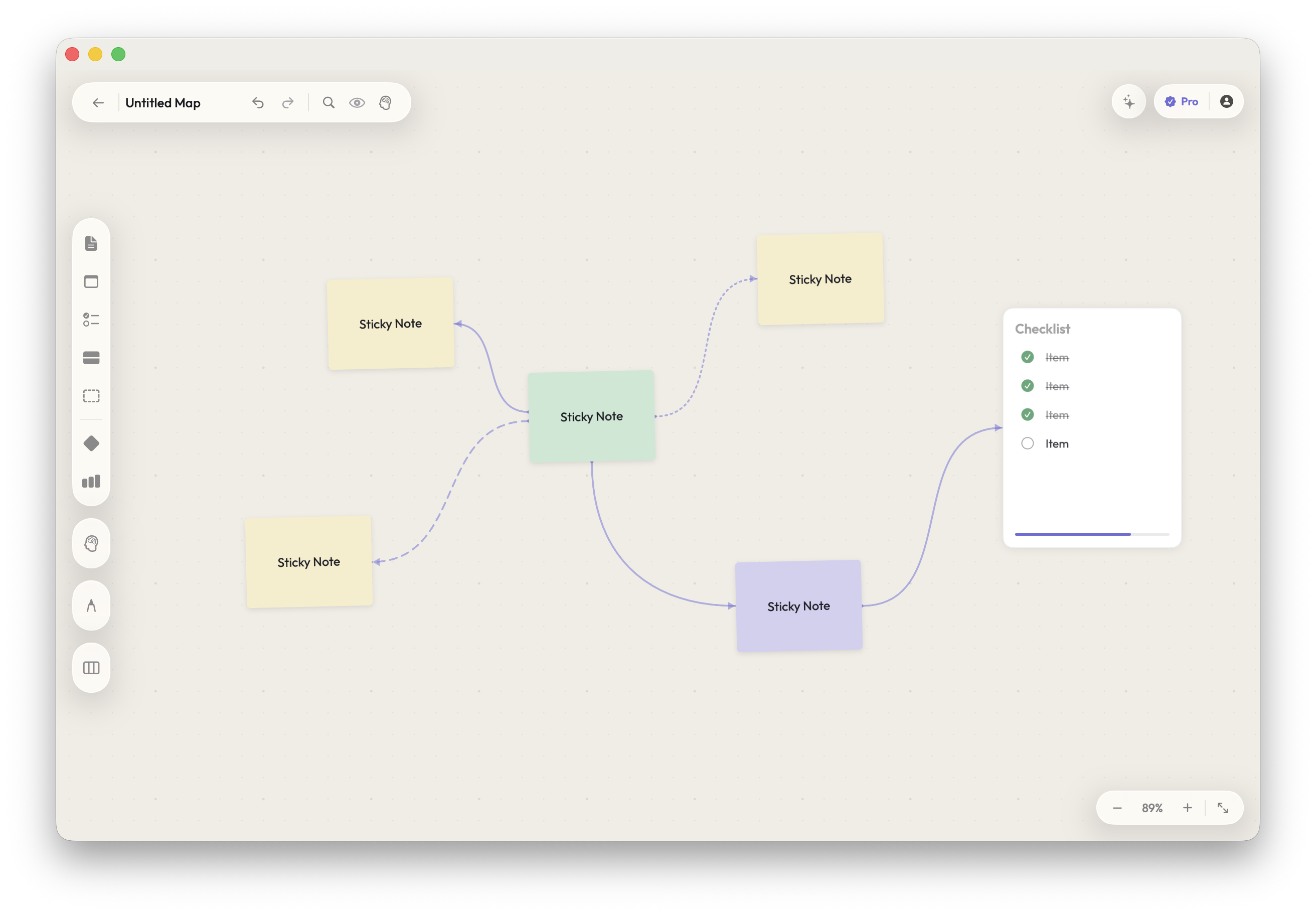
No pages. No folders. Just space. A visual whiteboard that grows with your thinking. Connect ideas spatially with labeled edges.

04

Element Morphing

A sticky note becomes a checklist. A card becomes a kanban column. Thoughts change shape as thinking evolves.

05

Canvas Zones

Brainstorm zone for loose ideas. Action zone for your visual planner. Archive for what's done.

06

Just Start Typing

Empty canvas? Start typing. Every thought becomes a card. Zero friction between brain and canvas.

Private by design

Your thoughts never leave your Mac

AI runs on Apple's Foundation Models directly on your hardware. No API calls, no cloud processing, no data sent anywhere. Your canvases are stored locally. Your thinking is yours.

What you won't find in Noda.

No timers or pomodoro clocks
No habit trackers
No Gantt charts or sprint boards
No team collaboration features (yet)
No "you're using it wrong"

Noda does one thing: it helps you think. Everything in the app exists to serve that.

Your thinking space.
Pay when you're ready.

One tool. One price. No subscription anxiety.

Free, forever. No limits, no countdown, no catch.

Free

$0forever

Think without limits.

  • Unlimited canvases
  • All 10 element types
  • Connections with labels
  • Canvas Zones
  • Local storage
  • Export to PNG
Download for Free

No account needed. No trial.

Founding Member Price

Lifetime

$99one-time

One payment. Yours forever.

Less than 2 years of Pro. After that, it's free.

  • Everything in Pro
  • Yours forever
  • No subscription to forget
  • No renewal anxiety
  • Early access to new features

Goes to $149 after founding window.

Pro

$7.99/month

Everything you need to think and do.

or · Cancel anytime

  • AI brain dump organization
  • Focus Mode
  • Premium templates
  • Cloud sync (coming soon)
  • Early access to new features
  • Everything in Free

Your data is always yours, even on Free.

Common questions

Yes. Unlimited canvases, all element types, Focus Mode, full canvas experience, local storage, PNG export. The free version isn't a trial — it's genuinely good. Pro adds AI brain dump and premium templates.

Download Noda

Free. No account. No setup wizard. Just open and think.

Download for macOS

macOS 14+ · Apple Silicon recommended for AI features

v1.0 · 24 MB